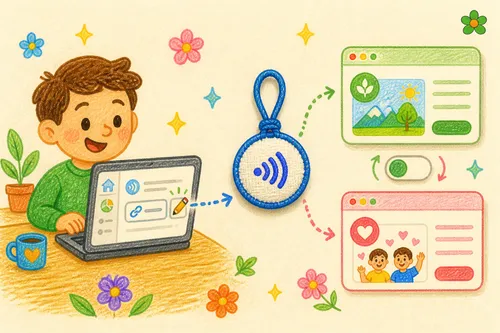
Giving an OMIPOKA digital card works a little differently from giving an ordinary product. A card is tied to an account, so until the recipient takes it over, it stays parked under yours — the account that placed the order. Every parcel ships with a small transfer-code card; once the recipient enters that code, the card moves to their own account. Here’s how the whole thing works.
Why does the card start under my name?
As soon as your order is paid, we create the account record for each digital card. At that moment the recipient usually doesn’t have an OMIPOKA account yet, so the card is held under yours. Ownership transfers properly once they claim it with the code.
Put another way: the transfer code is the handover key for that card. Until they enter it, you’ll still see the card on your own dashboard.
Two ways to give it
Pick whichever suits how you want the gift to arrive.
🎁 1. Give it together with the accessory
The usual route: put your own address as the delivery address, and once the parcel reaches you, wrap the NFC accessory and the transfer-code card together and hand them over in person or post them on.
The recipient follows the steps printed on the little card, enters the code, and the card lands in their account — ready to edit from their phone. As for the chip inside the accessory: add the write service at checkout and we’ll write it for you, or leave it for them to write with their phone.
📮 2. Ship straight to them
If you’d rather skip the forwarding, put the recipient’s address in at checkout and we’ll deliver directly. The parcel still contains both the accessory and the transfer-code card, and they activate it themselves.
This one suits long-distance gifts, or when you want it to be a surprise.
How does the recipient activate it?
Once they have the transfer-code card, activation takes three steps:
- Sign up or log in at app.omipoka.com
- Go to “Enter transfer code” and type in the code from the card (it starts with
OMI-) - Confirm — the card appears on their dashboard and they can start editing
Remind them to hit Publish when they’re done editing; that’s what makes the card live. Edit anytime after that — the chip never needs rewriting, because it holds a fixed URL and the content lives in the dashboard.
How long is the code valid?
A transfer code is valid for 90 days (about three months), and the exact expiry date is printed on the card. It’s worth claiming it soon after unwrapping rather than leaving it in a drawer.
If it does expire, nothing is lost — the card simply stays under the original buyer’s account, and our support team can reissue the handover for you.
Need a hand?
If anything goes sideways during the transfer or activation, message us on LINE and a real person will help: chat with OMIPOKA support.
What you’re giving isn’t only a card — it’s a small, ongoing gesture that can keep being updated long after the wrapping is gone. Enter the code, and the gift is properly in their hands.