Who this is for
- Travellers with a chronic condition or drug allergy, whose worst fear is collapsing where nobody can read their medical history
- Anyone travelling with older relatives or children who need emergency details on them but don’t speak the local language
- Solo travellers and business travellers who worry that if something happens, nobody abroad knows who to call
- Anyone who has considered printing an English medical card for their wallet, but didn’t know what to write — and couldn’t change it afterwards
- Existing Medical Guardian Card owners wondering what to do before a trip
Abroad, the barrier is doubled
If you lose consciousness at home, the people around you can at least read the health insurance card and medication packet in your wallet. Overseas, that layer disappears entirely. A passer-by in Osaka can’t read a drug allergy written in Chinese, a paramedic in Bangkok doesn’t know how to pull up your iPhone’s lock-screen Medical ID, and the fact that you’re on anticoagulants is something nobody has any way of learning in those first minutes.
Emergency care abroad has a double barrier: people have to reach your information, and they have to be able to read it. A printed English emergency card solves the second, but it holds very little and can’t be changed once it’s printed. A lock-screen Medical ID only exists if the person knows how to find it and your phone still has charge.
The Medical Guardian Card lowers both barriers at once. Its public page was designed bilingual from the start: blood type, allergies, medications, chronic conditions — every section heading appears in Chinese and English together. A local passer-by or medic taps the card with any phone, reads the English fields directly, and at almost the same moment your family back home receives a notification with your location.
Three approaches compared, for travel
| iPhone lock-screen Medical ID | Printed English card | Medical Guardian Card | |
|---|---|---|---|
| How a local sees it | They must know the lock-screen gesture, and your phone needs charge | They have to go through your wallet | Any phone opens the page in one tap |
| Language | Follows your system language | Whatever was printed | Chinese and English side by side |
| Cross-platform | iPhone only | Any system | Reads on iPhone and Android |
| Can you update it | Editable in the app | Reprint it | Edit in the dashboard, live on publish |
| Family back home learn about it | No | No | Notified the moment the card is opened, with the location |
| Travel insurance details | No field for it | Only if you thought to write it | Dedicated insurance section |
In short: a paper card and a lock-screen Medical ID are fine as backups. But the thing that actually crosses languages, crosses platforms, and tells your family in real time is the card.
What it does
1. A bilingual public page local medics can read
Blood type sits at the top as a large badge, with allergies, medications and chronic conditions listed in their own sections, each heading in both languages. For a paramedic who reads no Chinese, the page works without a translation app.
2. A dedicated place for travel insurance
The dashboard has an insurance section for your insurer and notes — policy number and the overseas emergency assistance hotline both fit. The most practical question in a foreign hospital is often “is this person insured, and who confirms it”; this field answers it in advance.
3. Family know something happened, and where you are
When someone opens your Medical Guardian Card, the system emails the emergency contacts you set, including the location where the card was found. If your family have linked the LINE official account, they get a LINE notification too. Across a time difference and a border, what they learn is no longer “we can’t reach them” but “here’s where they are and what happened” — enough to call the insurer’s emergency assistance line or your doctor at home immediately.
4. No battery, no app, no particular phone
A passive NFC chip needs no charging, and it makes no difference whether the person holding it has an iPhone or an Android. If your phone is dead after a long flight, lost, or locked, the card still works.
5. Update it once before each trip
New medication, a new allergy, a different policy — log in, edit, publish, done. Unlike a card you printed before departure, which starts going out of date the moment you land.
What it looks like when it happens
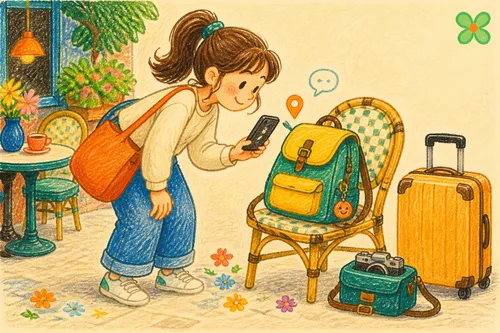
Picture losing consciousness in a shopping street in Osaka, with not one person around you who reads Chinese.
A shop assistant notices the card on your bag and taps it with their phone. Up comes the bilingual page: your photo, the blood type badge, your drug allergy labelled in English, the medication you’re on. They tap to share the location and allow positioning.
At almost the same moment, your family receive an email and a LINE message: the Medical Guardian Card has been opened, here is where. They call the insurer’s overseas emergency assistance line while forwarding your full history to the medics who are about to receive you. In the minutes when you couldn’t speak, the information had already made the whole journey by itself.
Pre-departure checklist
Setup isn’t complicated, but do it — and actually test it — before you leave, not at the airport.
- Create a Medical Guardian Card in the OMIPOKA dashboard (if you already have one, skip to checking its contents)
- Fill in blood type, allergies and chronic conditions. Write drug and condition names in both languages where you can — for example “warfarin (抗凝血劑)” — so local medics have nothing to decode
- Check the medication list is current, and update it if anything changed recently
- Put your insurer, policy number and overseas emergency assistance hotline into the insurance section
- Enter an emergency contact email your family actually use, and tick the notification option. Ask them to add the “OMIPOKA Guardian Card” LINE official account and enter the binding code for faster alerts
- Hit publish, and put the card somewhere it will be found — passport holder, the outside of your day bag, the back of your phone case
- Tap it with a second phone to confirm the page loads and the notification arrives
Look up consular contacts before you go
Contact details for your country’s overseas missions are public information, and it’s worth looking up the phone number and address for your destination before departure. For Taiwanese travellers, the Bureau of Consular Affairs (MOFA) website lists them, alongside the overseas emergency assistance hotline for nationals abroad; save both to your phone and give a copy to whoever you’re travelling with. The Bureau also publishes a travel emergency guide app that works offline.
This information and the card are complementary. The card handles “let the information speak when you can’t”; the assistance hotline handles “find someone to help while you still can”. You want both.
Cover the luggage too
The other common loss abroad is baggage and belongings. The Item Guardian Card in the same family works the same way — attach it to a suitcase or backpack, and whoever finds it can tap to leave you a message, while you get a notification and the location. Personal safety to the Medical Guardian Card, luggage to the Item Guardian Card, and one trip is covered by two.
Things to know
- The public page is a web page, so the person holding the phone needs a connection. Mobile data in foreign cities is rarely a problem, but remote mountains and islands without signal are a limitation
- The Medical Guardian Card shows full name and photo by default — a deliberate choice for emergency identification. You can change the display mode in the dashboard if you’d rather
- Notifications go by email and LINE (web push optional), not SMS, so the email address needs to be one your family actually check
- Notifications are one-way: family act on what they receive, but can’t message back to the person at the scene through the card
- The allergy and medication fields contain what you wrote. Note them in both languages — the bilingual headings only pay off fully if the content is bilingual too
- If your history changes after you return, update it then, so the card stays ready for the next departure
In closing
This is the card you least want to use on a trip — but in a place where you don’t speak the language, it’s the only thing that can speak for you. Blood type, allergies, the drugs you must not be given, insurance details: side by side in two languages, readable from any phone in one tap, with family notified of where you are at the same moment. Ten minutes of checks before you leave, for a whole trip’s peace of mind.