Who this is for
- Primary caregivers of elders with dementia whose deepest fear is “they walked out and can’t be found”
- Families who tried writing an NFC name tag with NFC Tools, or building an iOS location Shortcut, and were defeated by the setup
- Elders who routinely go out — walks, groceries, rehab — and need a safety net that reaches the family the moment someone notices they need help
- Anyone who doesn’t want their elder wearing a bulky GPS tracker
- Dual-career families with no time to re-write a vCard or Shortcut every time information changes
Why a card that notifies you beats DIY for dementia
There are two common DIY approaches for wander-risk elders.
One: use NFC Tools to write name, emergency numbers and history as plain text onto a blank NFC tag. Simple — but frozen. New medication, new phone number, new diagnosis? You pull the tag and rewrite it; most people never update after the first time. There’s no location. And critically, you never know when the tag was tapped.
Two: build an iOS Shortcut that sends the phone’s location and texts the family. It can technically do location and notification, but it fails twice. The setup alone — wiring location, messages and automation — defeats most people. More fundamentally, the Shortcut must be triggered by the elder. A person who is lost and confused will not remember to pull out a phone and tap a Shortcut. In the actual scenario — a stranger notices something is wrong — the one who can act is the passer-by, not the elder.
The Cognitive Guardian Card hands the trigger to the person who noticed and wants to help. They tap the card with their phone; location sharing and notifications start; the elder does nothing at all. It’s still an NFC card worn on the body — but behind it sits a live rescue net that notifies you instantly, carries the location, and can be updated anytime.
Three approaches compared
| Static NFC name tag | iOS Shortcut | Cognitive Guardian Card | |
|---|---|---|---|
| Setup difficulty | Low, but text is frozen | High — wire the logic yourself | Low — fill a form, publish |
| Who triggers it | Finder taps (sees plain text) | The elder must operate it | The finder simply taps |
| Sends location | No | Yes | Finder shares in one tap, with a map link |
| Notifies family | No | Texts, but elder must trigger | Automatic when the card is opened |
| Updating info | Pull the tag, rewrite | Edit the Shortcut logic | Edit in the app, live on publish |
| Sensitive data | All exposed on the tag | Depends on your design | Tap-to-reveal + logged + lockable |
The decisive row is “who triggers it”. In a dementia wandering scenario, the person who can act is the passer-by — exactly where the Guardian Card parts ways with both DIY routes.
What it can do
1. The finder needs no app — one tap opens it
iPhone or Android, any NFC-capable phone taps the card and a web page opens. No downloads, no QR codes, no friend requests. For a kind stranger, the lower the barrier, the more likely they reach out.
2. One-tap location sharing — you see where they are
The page has an “I’m willing to share location” button. The finder taps, approves the browser prompt, and the elder’s current position lands in your hands with a Google Maps link. If they decline GPS, the system falls back to network-based, city-level estimation. You’re no longer waiting by the phone — you’re navigating to a point on a map.
3. Diagnosis and medication are layered — and views are logged
A dementia patient’s diagnosis, medications and agitation risks are sensitive. The card doesn’t print them on the surface; they sit in a tap-to-expand section. When someone expands it, the system logs it and notifies you — and you can emergency-lock the entire public page with one tap if anything looks wrong.
4. Edit anytime, live on publish
New prescription, new attending physician, new family phone number — log in, edit, publish. The card itself is never pulled or rewritten. One card accompanies the elder for years.
5. Notifications via both Email and LINE
When the card is opened, a location is shared, or sensitive info is viewed, the system notifies you and your designated family members. Beyond email, family can link LINE: add the “OMIPOKA Guardian” official account, enter the binding code, and alerts pop up in LINE instantly — no OMIPOKA account, no app install. Email is the stable channel, LINE the instant one; enable both.
What happens when someone finds your elder
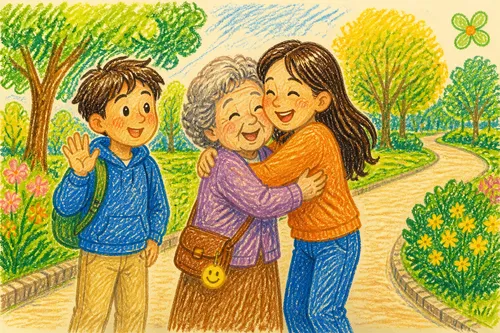
Imagine your mother sitting on a park bench, disoriented, unable to say where she lives. A passer-by notices.
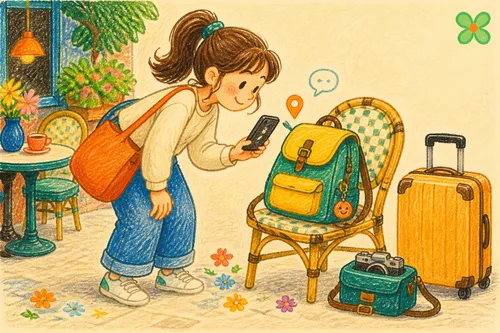
They spot the charm on her jacket and tap it. A page appears: her title with the given name masked (say, “Chen ○-mei, Grandma”), a short note asking for help, and two buttons — “share location” and “leave a message”. They tap share and approve.
Almost simultaneously, your email and LINE light up: the Cognitive Guardian Card was opened, a location was shared — the exact bench in the park. You head out immediately; the passer-by, seeing the confirmation, stays with her a little longer. None of it required them to be tech-savvy, or you to refresh your phone all afternoon.
How to get started
Far simpler than building a Shortcut — no logic to wire.
- Create a Cognitive Guardian Card in the OMIPOKA app
- Fill in the elder’s title, diagnosis, medications, allergies, and a help note for strangers
- Add family emails as emergency contacts; for instant LINE alerts, generate a binding code under LINE family alerts and drop it in your family group chat — each person adds “OMIPOKA Guardian” and sends the code to it (one code works for the whole family and stays valid for 48 hours)
- Publish — the public page is live immediately
- Write the card URL to an NFC tag (an embroidered patch or a budget round sticker both work; pre-made sets are available) and sew or clip it onto the jacket or bag they always take
- Tap it with your own phone once to confirm info and location sharing work
One writing tip: make the help note something a stranger can read and act on. “I have a cognitive condition. Please stay with me here and share your location on this page” beats “I’m lost” by a mile.
To keep bad actors from using it, the public page never shows family phone numbers — so don’t write “please call the number on this card”. The finder reaches you through location sharing and a message. Messages are one-way, so ask them in your note to leave their own phone number or email, so you can call back.
Advanced: if you still want to DIY
Prefer full control without a platform? Two routes, each with trade-offs.
The simple one — write a static vCard with NFC Tools. Offline and dependency-free, but frozen, no location, and no notification when opened.
The advanced one — an iOS Shortcut that sends location and texts family. It works for clear-headed adults who operate their own phones (e.g., late-night check-ins), but for a dementia scenario it places the rescue burden on the one person least able to perform it.
For this specific scenario, the question was never “can it send a location” — it’s who presses the button. The Guardian Card gives that to whoever finds the elder. DIY can serve as a budget stopgap or offline backup, but its gap shows precisely when you need it most.
Things to note
- Have family link LINE for instant alerts — no account, no app, faster than email, and it covers iPhone’s unreliable web push
- Email remains the stable backup: use addresses the family actually checks, and watch the spam folder; enable both channels
- The card shows only the surname and title by default, masking the given name (e.g., “Chen ○-mei”) — no full name or age. Use Preview before publishing to check what others will see; share search links privately in family groups only
- Sew or hang the card where it’s noticeable and easy to tap: outer jacket, bag zipper pull
- In malls or hospitals GPS may resolve to the building but not the floor — the finder can use the message feature to add “3rd floor, east entrance”
- Tap it yourself periodically to confirm everything still works before you actually need it
Closing
The most painful part of a dementia wandering isn’t that they forgot the way home — it’s not knowing where they are. A Cognitive Guardian Card fills exactly that gap: the moment someone notices and reaches out, you’ll know, you’ll see the location, and you can take over. One small card turns minutes of panic into a clear lead.